How to measure SEO by pipeline, not traffic
If your SEO report starts with sessions, your CFO stops reading. Here is a simple setup that ties organic search to demos, pipeline and revenue.
 Trickency Team
October 21, 2026
4 min read
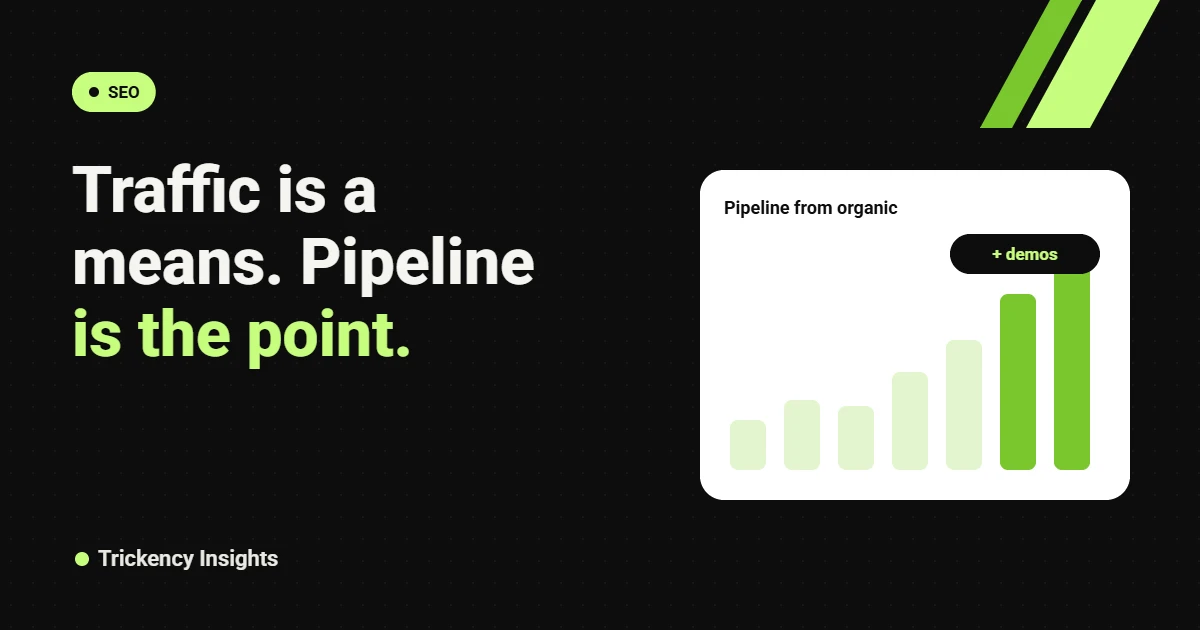
Most SEO reports lead with traffic, rankings and impressions. Those numbers matter to the people doing the work. They don’t matter to the people paying for it. A founder or CFO wants to know one thing: is organic search creating pipeline?
The good news is you don’t need expensive attribution software to answer that. You need three tools you probably already have, set up properly.
Key takeaways
- Group pages by intent so you can see which ones bring buyers, not just visitors.
- Pass the first landing page and source into your CRM on every form fill.
- Report demos, pipeline and revenue from organic each month, with traffic as context.
- Add a “How did you hear about us?” field to catch what attribution misses.
Step 1: Group your pages by intent
Tag every page into one of three groups: bottom of funnel (pricing, comparison, alternative, integration and product pages), middle (use cases, how-to guides tied to your product) and top (broad education). A thousand visits to a top-of-funnel post is not worth the same as a hundred visits to a competitor alternative page.
Step 2: Track conversions in GA4 by landing page
Set up demo requests, trial sign-ups and contact form submissions as key events in GA4. Then report conversions by the landing page of the session, filtered to organic search. This shows which pages start journeys that end in a demo.
Step 3: Get the source into your CRM
This is the step most teams skip. Capture UTM parameters, the referrer and the first landing page in hidden form fields, and store them on the contact and the deal in HubSpot, Salesforce or Pipedrive. Now you can report pipeline and closed revenue by original source and even by page.
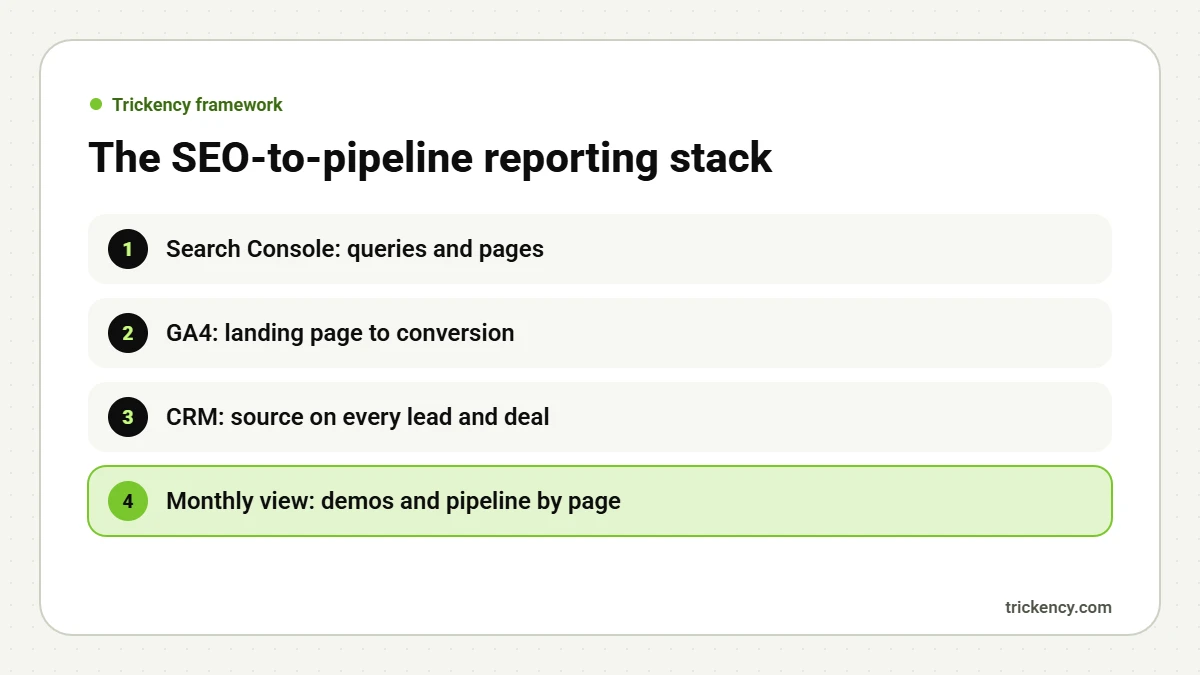
Step 4: Ask the buyer
Add a simple “How did you hear about us?” field to your demo form. Buyers often research on Google, check you in ChatGPT, see your founder on LinkedIn and then type your URL directly. Software calls that “direct”. The buyer will tell you it was Google or LinkedIn. With AI search in the mix, self-reported source is more important than ever.
Step 5: Build a one-page monthly report
Lead with outcomes, then explain them:
- Demos and trials from organic search, this month vs last month and last year.
- Pipeline value created from organic, and closed revenue to date.
- Top 10 pages by conversions.
- Movement on your 20 most important buying-intent keywords.
- AI visibility: were you named for your key questions in ChatGPT and AI Overviews?
- Traffic and impressions, as context.
This is the structure we use with clients. It is how we can say that work across five B2B SaaS sites produced 529K+ organic clicks and still focus the conversation on demos.
Set expectations on timing
B2B sales cycles are long. A page that ranks in March may influence a deal that closes in September. Report leading indicators (rankings, AI mentions, demo requests) monthly and lagging ones (pipeline, revenue) quarterly.
The hidden form fields to add
If your forms run through HubSpot, Webflow, WordPress or a custom setup, add these hidden fields and populate them with a small script or your form tool’s built-in options:
- First landing page: the first URL the visitor saw on your site.
- First source and medium: for example google / organic or linkedin / social.
- UTM campaign and content: when present.
- Conversion page: the page where the form was submitted.
Store the first-touch values in a cookie so they survive multiple visits. Map them to contact and deal properties in your CRM. After a month, you can build a simple report: deals created this quarter grouped by first landing page. That single report usually changes how a leadership team sees SEO.
What a good month looks like
Here’s an example of a healthy SEO report summary for a B2B SaaS company: “Organic search started 14 demo requests this month, up from 9. Six came from the new comparison pages. Organic-sourced pipeline is now $180K this quarter. We gained top-three rankings for four competitor terms and were named in AI Overviews for two of our ten target questions.” Traffic appears later, as supporting detail. That’s the order your CFO wants.
Common pitfalls
- Counting newsletter sign-ups and demo requests as the same conversion.
- Losing source data when leads are imported or merged in the CRM.
- Judging content after four weeks in a market with six-month sales cycles.
- Ignoring branded search growth, which is often the clearest sign that SEO and LinkedIn are working together.
FAQ
Is first-touch or last-touch attribution better for SEO?
Use both. First touch shows what started the journey, and SEO often starts it. Last touch shows what closed it. Self-reported source fills the gaps.
What if most of our organic leads show as “direct”?
That usually means buyers found you in search or AI tools and came back later by typing your URL. Self-reported source and branded search growth help you see it.
How long before SEO shows up in pipeline?
For bottom-of-funnel pages, often within one to two quarters. Broader content takes longer.
Want SEO reports your CFO reads? Every Trickency engagement includes reporting tied to pipeline. Start with a free audit.

The Trickency team writes about SEO, AI search and LinkedIn for B2B SaaS and tech companies, drawing on real client work since 2021.